
For the holiday, the dinner and the party
Split the bill.Not the friendship.
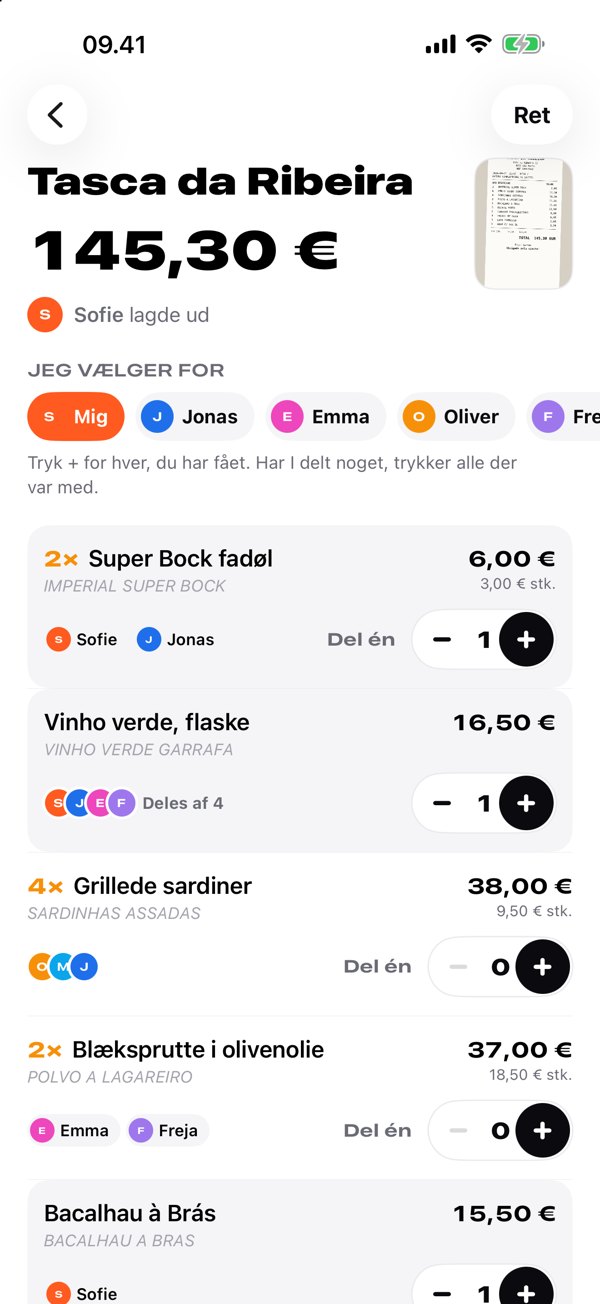
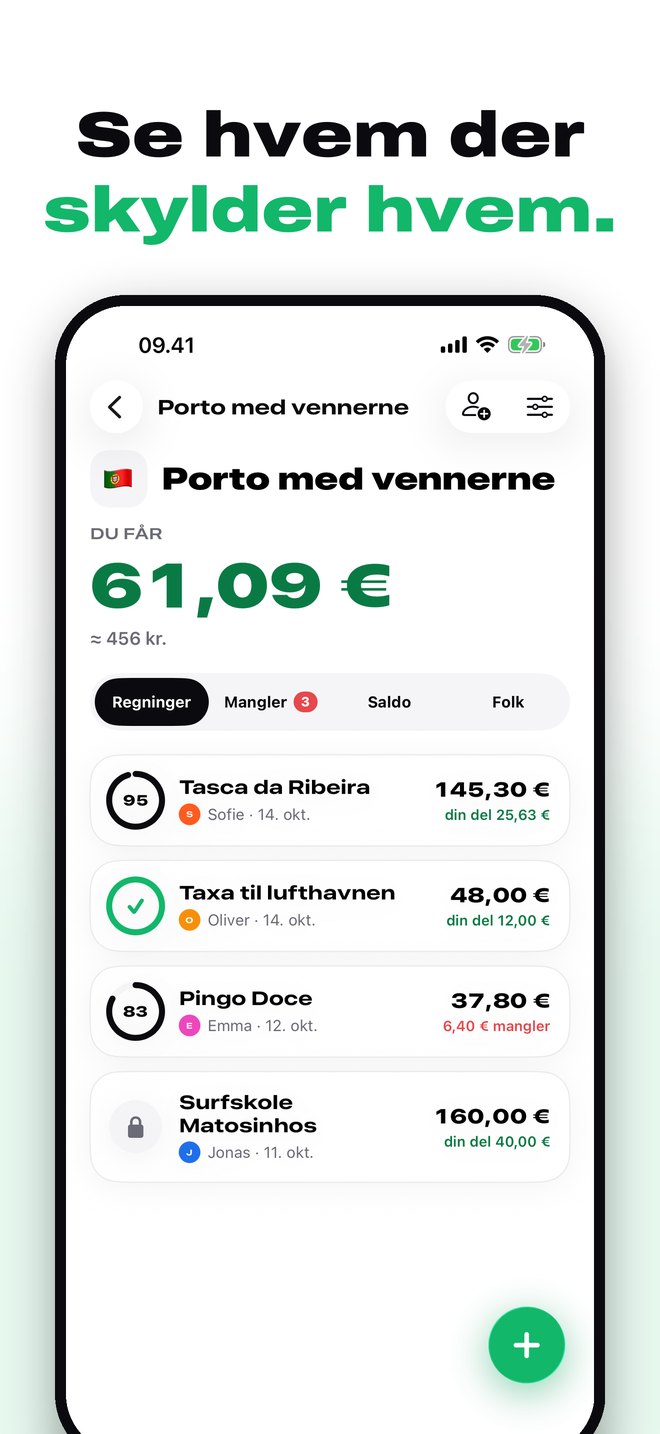
Scan the receipt, tap what you had, and see exactly who owes whom. The lines read themselves — and get translated into English.
Free. No ads. No limit on the number of bills.
How it works
Three taps from receipt to paid.
No spreadsheets, no «who had the other beer?». Just the receipt and a tap.
Scan the receipt
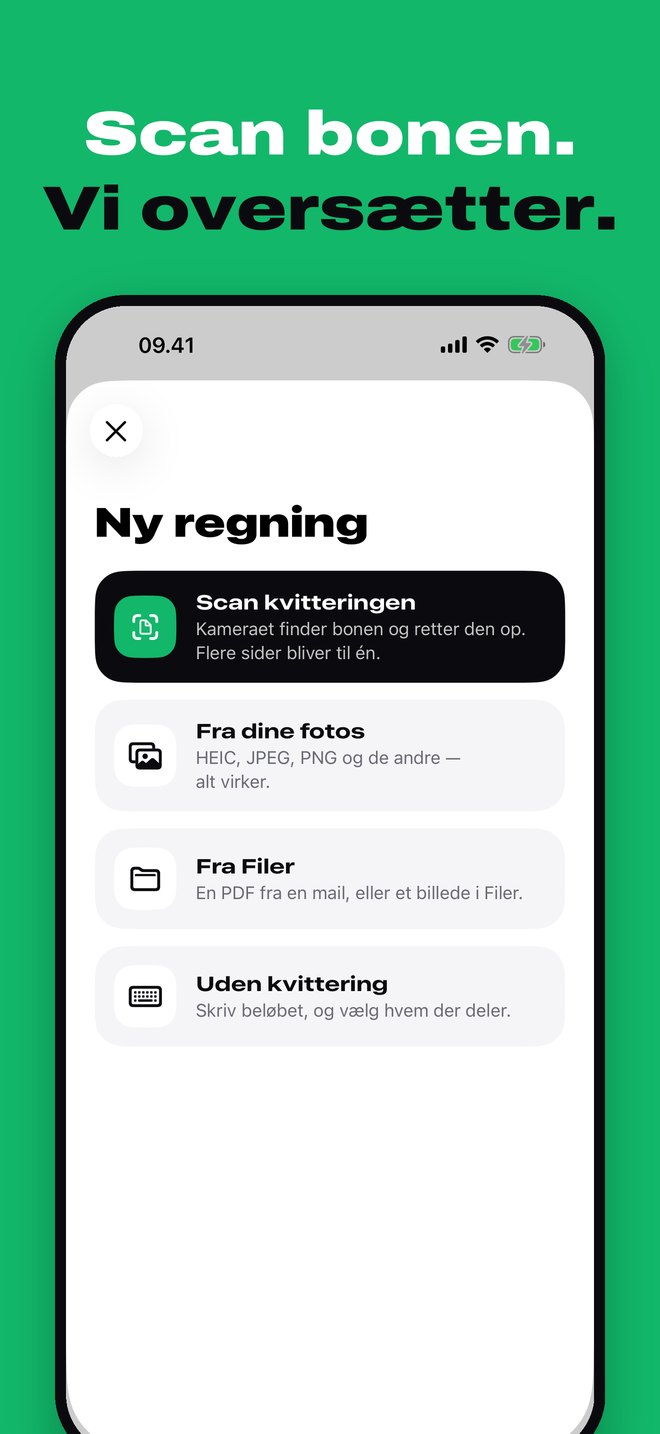
Take a photo, pick a PDF from your email or scan several pages. The lines are read and translated into English in ten seconds.
Tap what you had
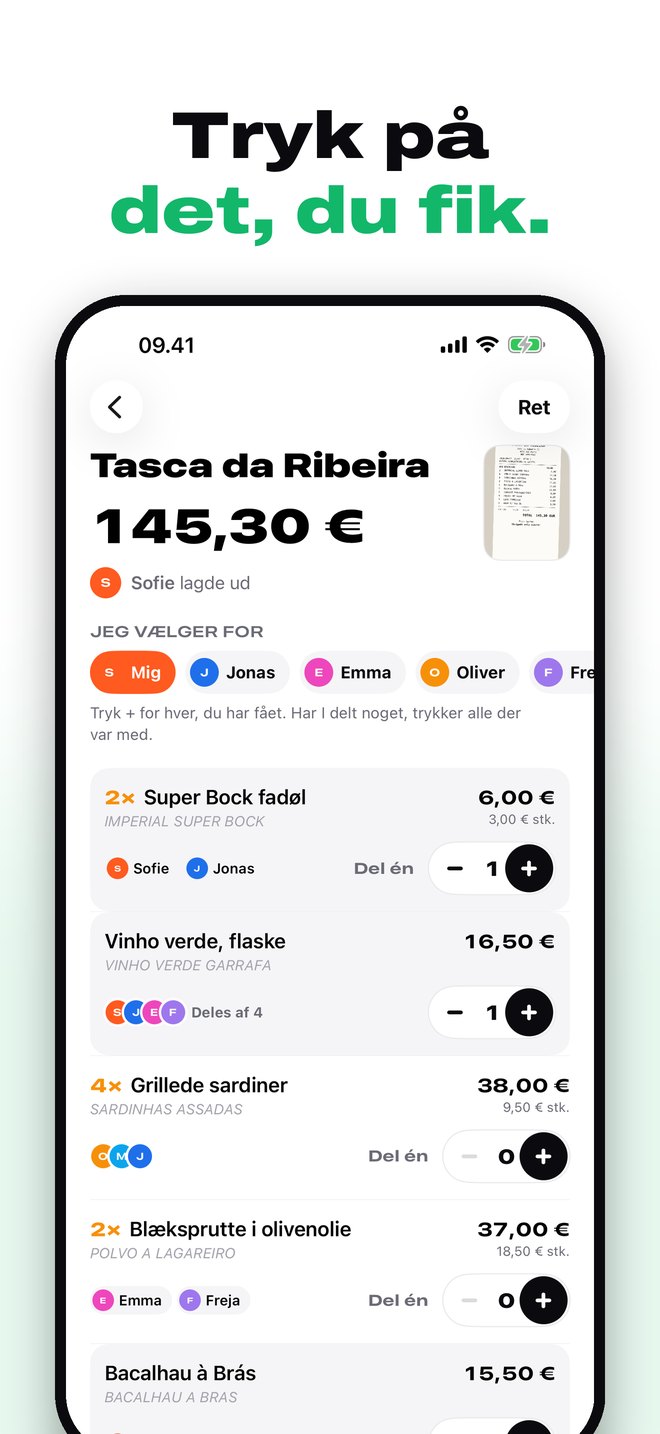
Three canoes are three taps. Shared a bottle of wine? Everyone who had some taps it — and it's split. Or tap «Split one».
Settle up
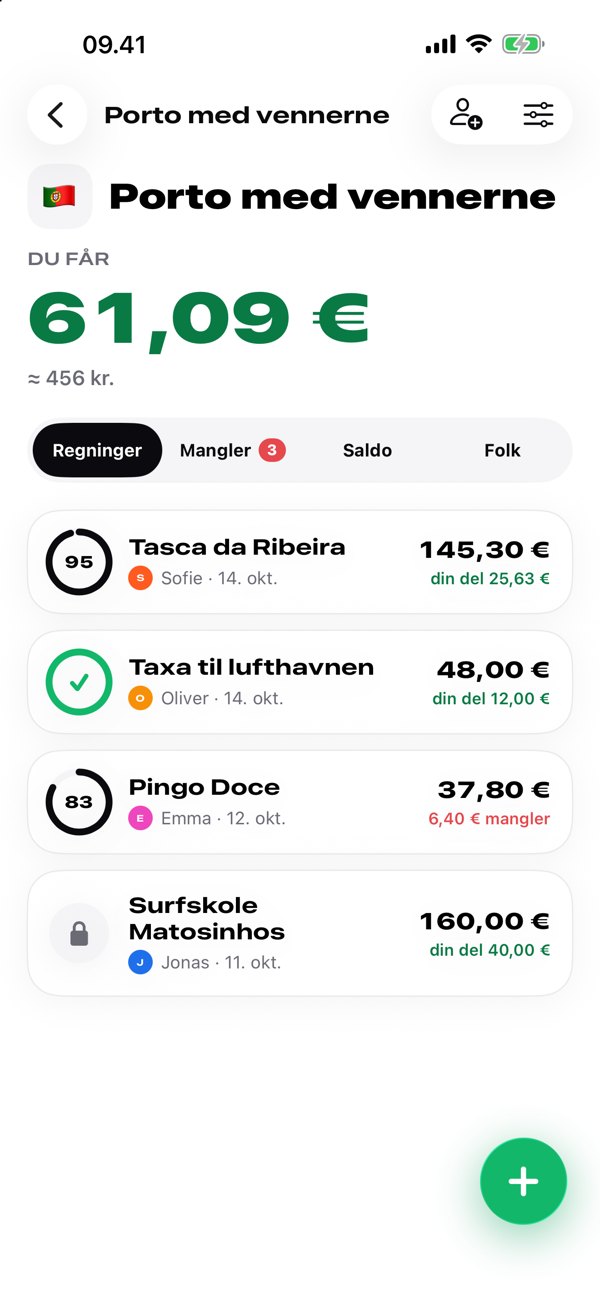
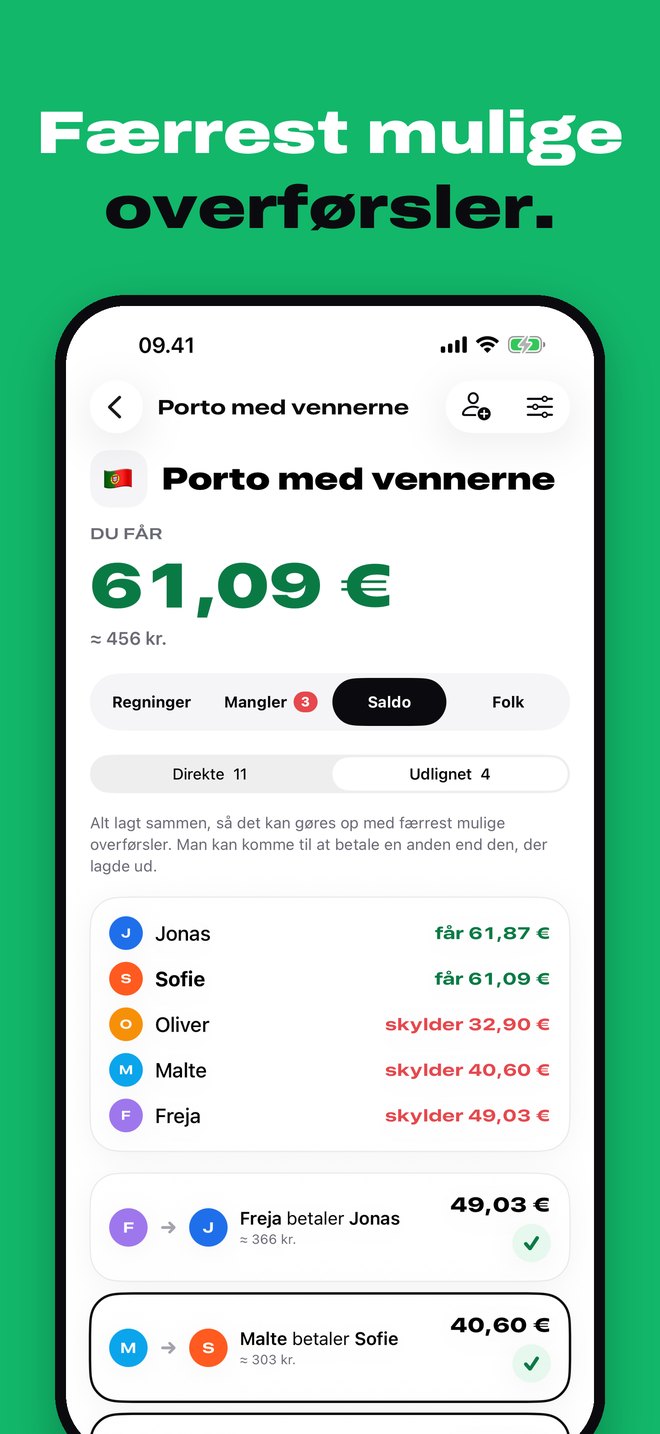
See who owes whom — directly or with as few transfers as possible. Tap ✓ when it's paid.
Features
Everything a spreadsheet can't do.
Every format
Photos, HEIC, PNG, PDFs from your email and scanned receipts with several pages.
Translated into English
«Polvo à lagareiro» becomes «Octopus in olive oil» — with the original underneath.
Split one
Two of you shared one of three coffees? One tap, and exactly that one gets split.
Live for everyone
When someone else at the table taps, you see it right away.
No receipt needed
Taxi, tickets, rent — enter the amount and choose who's sharing, even with different amounts.
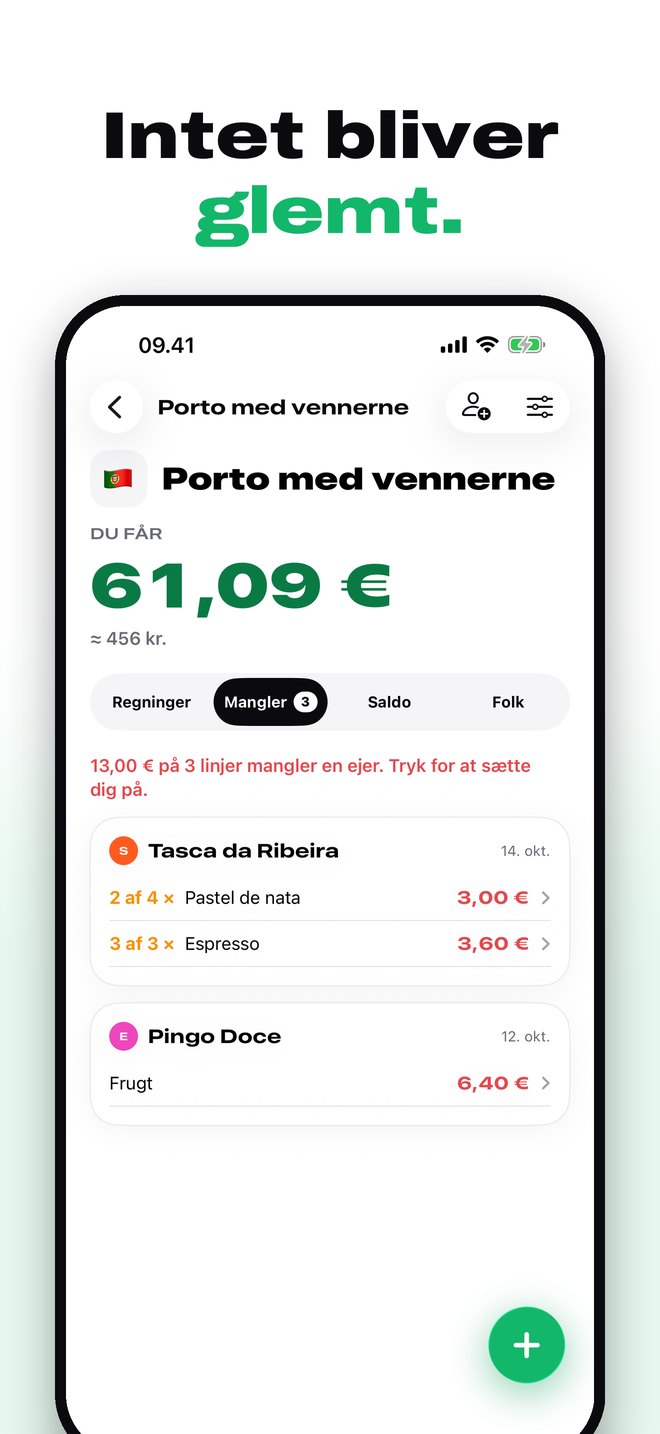
Nothing gets forgotten
«Not picked yet» shows every line nobody has taken, across all open bills.
iPhone
Ready for the next trip?
Get Splitzilla.
Splitzilla is on its way to the App Store. If you've been invited to a trip, the link opens the app as soon as it's installed.
Coming soon to the App StoreFAQ
Good to know
Does it cost anything?
No. Splitzilla is free, with no ads and no limit on the number of bills or people.
Does everyone need the app?
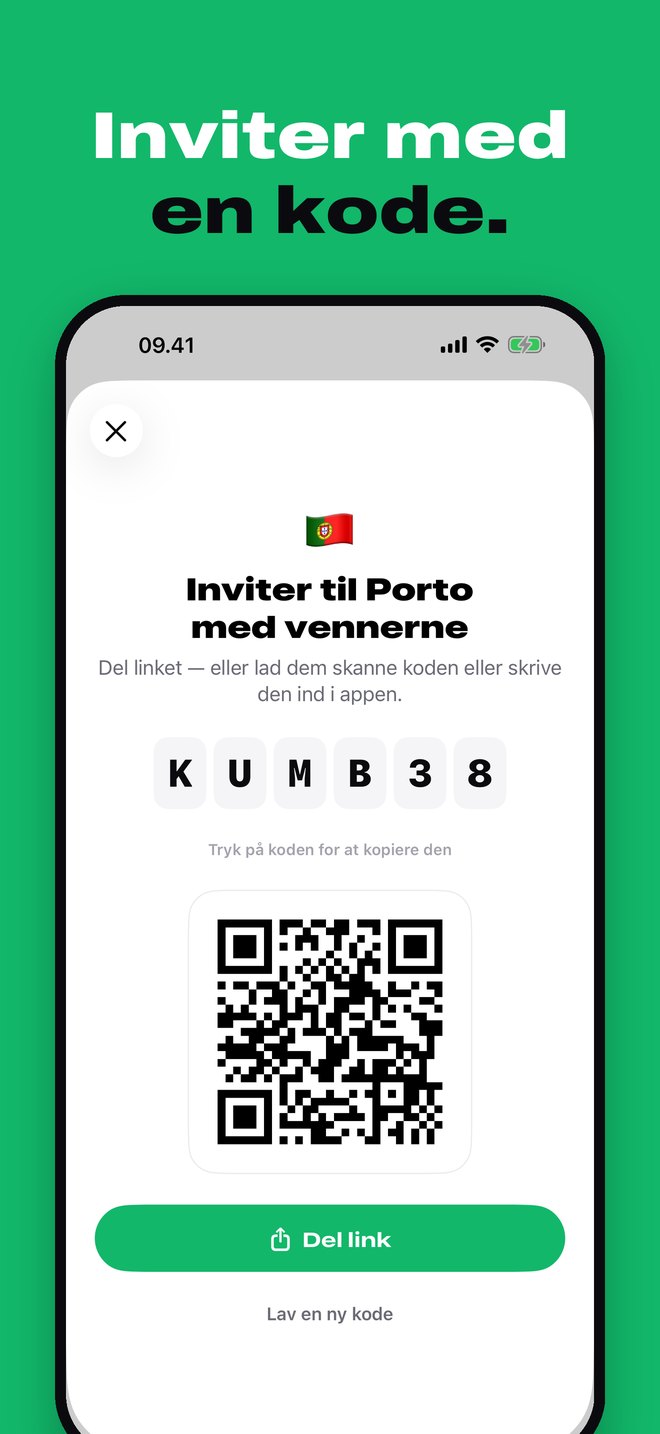
No. You can add people by name, and they can join later with the code — and get their taps with them.
Which currencies?
Amounts are shown in the trip's currency with an approximate amount in your home currency next to them. You can adjust the rate on each trip.
Who can see my bills?
Only the people on the trip. Receipts are stored encrypted in the EU. Read more in the privacy policy.
How do I delete my account?
In the app under Settings → Delete my account. Your name stays on the bills, so they still add up for the others.